
You no longer need deep coding knowledge or expensive developers to build a professional website in 2026. Thanks to rapid advancements in AI..
If you are looking for the best AI website builder 2026, you do not need to have coding knowledge or hire expensive developers to create a professional website. Thanks to the advancements in artificial intelligence, today’s website builders with AI capabilities can create website layouts, content, and even deploy websites in a matter of minutes.
For creators, freelancers, startups, and more small businesses, the big question should no longer be “what is the best AI?”, but which AI-powered website builder that gives the best balance of control, performance, and value?
Over the past few weeks, I experimented with three of the most talked about platforms in this space: Webflow, Framer, and Wix AI. All of them claim to be a simple tools for web design, offering a professional result, but they have different approaches to the problem.
This blog compares best AI website builders pros and cons, pricing, and ease of use in real-life situations to help you choose the best web designing tool for 2026.
Why Finding the Best AI Website Builder 2026 Matters More Than Ever
Websites are no longer optional. Whether you are a freelancer, SaaS founder, or building an effortless AI print shop, your site is often the first point of trust for users.
AI website builders assist with:
- Reducing development time and expenses
- Improving the SEO structure automatically
- Making professional design accessible
- Allowing fast iteration without developers
However, not all AI builders are equal. Some prioritize speed, others creative control, and some focus heavily on marketing automation.
Testing Setup and Evaluation Criteria
To keep this comparison fair, I experimented with all three platforms using the same goals:
- Build a modern landing page
- Optimize for SEO and performance
- Customize layout and animations
- Publish with a custom domain
My evaluation focused on:
- Ease of use for non-developer use
- Design flexibility
- AI capabilities
- Performance and hosting
Webflow: Professional Control with AI Assistance
Webflow has long been known as a designer-first platform, and in 2026, its AI capabilities of Webflow are now much more advanced.
While the AI capabilities of Webflow assist with layout, content, and setting up the CMS, they do not replace the user entirely. It is best for designers who require precision and scalability.

Strengths of Webflow
- Pixel-level design control
- Powerful CMS for blogs and other dynamic pages
- Clean, production-ready code
- Strong SEO and performance optimization
Limitations
- Steeper learning curve for beginners
- Pricing can feel steep for small projects
Pricing
- $18–$29/month
This is truly for freelancers, agencies, and SaaS teams that strive who wants continuous growth.
Framer: AI-First Design for Modern Creators
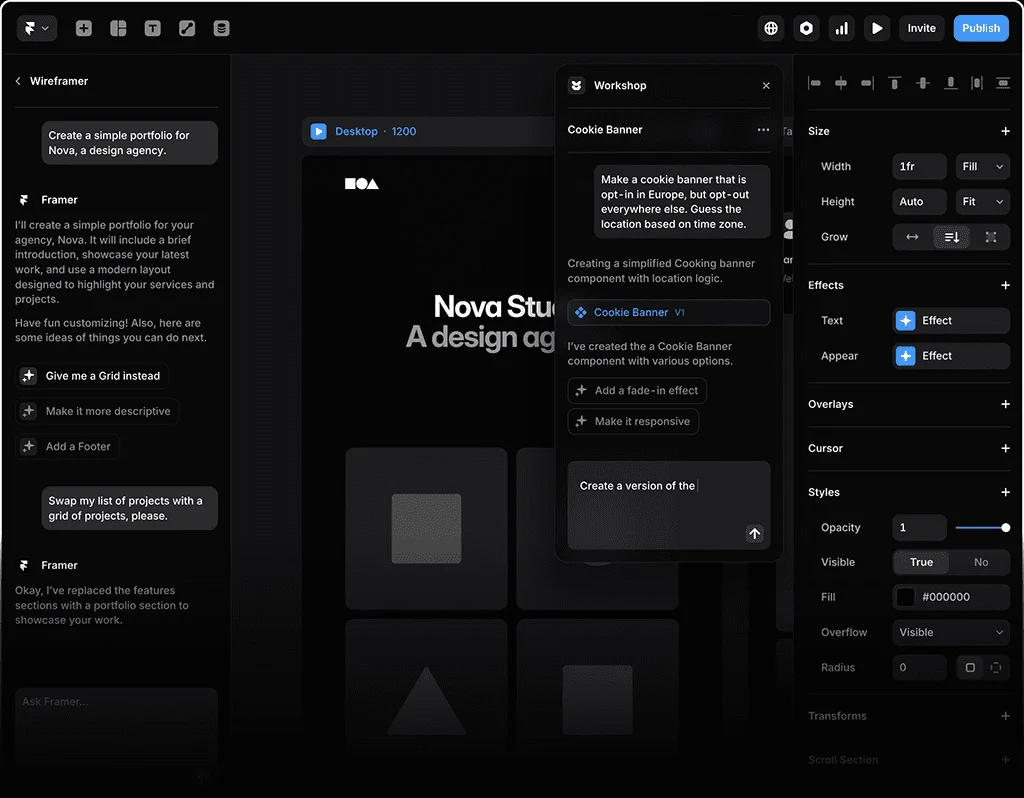
Framer has been successful with startup founders and solo creators, and the main reason for this is its AI-first approach.
You can tell Framer your website description in natural language, and it will create a responsive animated layout very quickly. It’s one of the fastest tools for turning a proposal into a live website.
Strengths of Framer
- Extremely fast site creation
- Beautiful animations by default
- Clean UI and modern aesthetics
- Excellent for landing pages
Limitations
- Limited CMS compared to Webflow
- Less suitable for large content-heavy websites
Pricing (Approx.)
- $15–$25/month
Framer is ideal for personal brands, startup landing pages, and portfolio websites where speed and visuals matter most.
Wix AI: With an initial friendly Marketing Focus
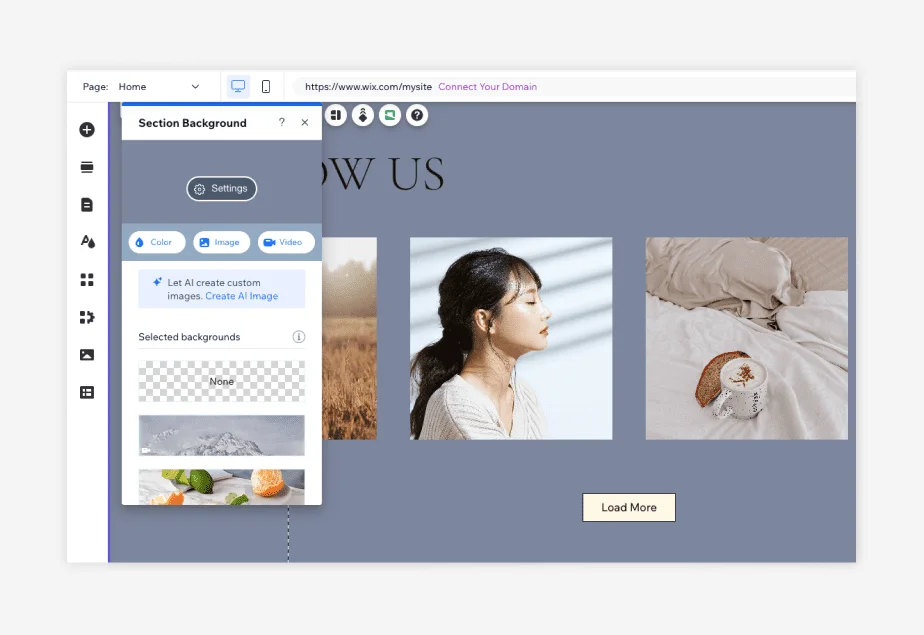
Wix AI is for those who want everything to be automated. It takes care of the layout, content, SEO, and business tools.
You are asked a few questions, and it will create a complete website for you. It will include the text, images, and layout.
Strengths of Wix AI
- Very beginner-friendly
- Built-in marketing, booking, and eCommerce tools
- Strong local business features
- No design experience required
Limitations
- Less design freedom
- Heavier code compared to Webflow and Framer
- Performance can be mediocre on a complex sites
Pricing (Approx.)
- $16–$27/month
Wix AI is most suited for small businesses, local services, and individuals who seek quick results with minimal setup.
Performance and SEO Comparison
Website speed and SEO affect income directly.
- Webflow consistently delivers the best performance score and a clean SEO structure.
- Framer perform very well with lightweight sites and landing pages.
- Wix AI handles SEO basics, but performance lags behind.
For competitive niches like SaaS, finance, and tech blogging, Webflow and Framer offer a clear edge.
Which Platform Is Best for You?
Choose Webflow if you:
- Want professional control and scalability
- Run client projects or SaaS products
- Care about deep SEO and performance
Choose Framer if you:
- Need fast, beautiful landing pages
- Are you a solo creator or startup founder
- Prefer AI-driven design with minimal manual AI setup
Choose Wix AI if you:
- Are you an individual or a small business owner
- Want built in marketing tools made
- Prefer not to touch design settings
Final Verdict to Creators
In 2026, there is no “best” AI Website Builder—just the best fit for your goals.
Webflow is the strongest professional platform.
Framer is the fastest and latest.
Wix AI is the simplest and most beginner-friendly.
Personally, for MyCreatorStack, I prefer Webflow for long-term content and Framer for quick, experimental landing pages. For others, Wix AI remains a solid option for non-technical users.
AI has changed web design forever—but smart creators still choose their tools strategically.
(Disclaimer: The information given in the article is for information purposes only, and the information is based on personal opinions and research. MyCreatorStack is not responsible for any decisions made based on the information given in the article. The links given in the article are affiliate/advertising links.)

Sandaru is a senior graphic designer with over 5 years of experience in brand identity, digital design, and creative workflows. He founded Mycreatorstack to help designers and freelancers navigate AI tools, design software, and the evolving creator economy — without the hype.
Leave a Reply