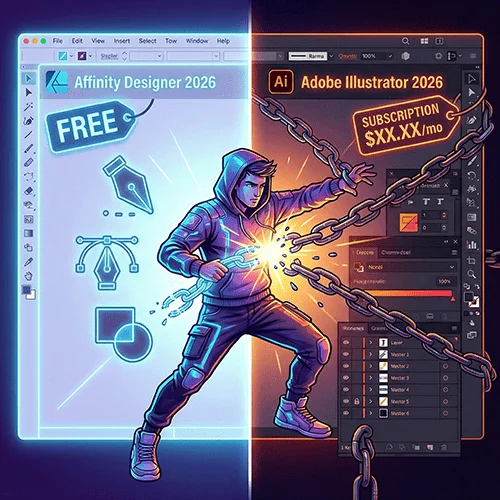
Tired of subscription fatigue? Explore this 2026 deep dive into Affinity Studio’s free core vs. Adobe Illustrator’s AI-powered ecosystem. Discover which tool fits your budget and workflow for vector illustration and print preparation.
Can a Free Vector Design Tool Really Compete With Industry Standard? Let’s explore Affinity Designer 2026 vs Adobe Illustrator.
As a graphic designer who lives and breathes vector, I spent the past month to testing the biggest changes shaping the design industry in 2026. With Affinity Designer 2026 joining free Canva’ s free ecosystem and Adobe Illustrator 2026 introducing advanced AI and 3D tools, designers everywhere are asking one critical question:
Can a free design tool, compete realistically with Adobe Illustrator, the long- standing industry leader?
Exploring the Differences: Affinity Designer 2026 vs Adobe Illustrator
After Canva’s acquisition of Serif in 2024, the Affinity ecosystem changed dramatically. The core Affinity tools are now available for free with Affinity Studio, while Adobe continues its subscription- based model, driving innovation with Firefly AI and the powerful Project Turntable feature. If you’ve been following the shift away from expensive legacy software, this is a major victory for the [2026 Freedom Stack: How Creators Are Ditching “Big Tech” Bloat for Sleek, Affordable Alternatives].
To cut through the marketing hype, I experimented with both too extensively on my MacBook Pro, focusing on real-world design, logo creation, t-shirt graphics, vector illustrations, and print preparation. This comparison is written for students, freelancers, and professionals to help them decide where to invest their time and money in 2026.
This article will compare Affinity Designer 2026 vs Adobe Illustrator to help you decide which tool to choose.
Testing Setup and Evaluation Criteria
To guarantee of a fair comparison, I used both tools side by side under the same conditions. My evaluation focuses on:
💰 Pricing and long-term affordability
🖥 Interface design and performance
🤖 AI-powered tools and usability
🧩 Workflow efficiency for daily design tasks
📦 Compatibility with professional print and client files
The goal was not to find a single winner, But to decide that tool fits which type of designer best.
In prices 2026: Free Access vs Subscription Fatigue
Affinity Designer 2026 Pricing
Affinity Designer is now part of Affinity Studio, presenting a free core version that includes essential vector design tools.
You only need a Canva account and no credit card. It is perfect for everyday tasks such as:
- Logo design
- Apparel graphics
- Social media visuals
- Branding assets
The free version satisfies about 80 percent of professional requirements. However, Canva Premium offers a premium plan to designers who need higher-end features of artificial intelligence.
- 🇺🇸 USA: approximately $12.99/month
- 🇬🇧 UK: approximately £10.99/month
Adobe Illustrator 2026 Pricing
Illustrator remains part of the Creative Cloud subscription model:
- 🇺🇸 USA: approximately $22.99/month
- 🇬🇧 UK: approximately £21.98/month
This is approximately $276 per year. If you think about the cost of financial overhead and the profits made by independent creators, this could be a huge burden on them. If fixed costs are getting to you, it might be time to [Stop Renting Your Career: The Best Affordable Design Software for Freelancers Who Hate Monthly Subscriptions].
Pricing Verdict
- Students and solo freelancers can take advantage of the many benefits of Affinity’s free core, freeing up their budget for drawing tablets, fonts, and stock assets.
- Agencies can still justify Adobe’s cost due to standardized workflows collaboration functions, and industry expectations.
Interface and Performance: Speed vs Feature Density
Affinity Designer Performance
Affinity Designer immediately stands out with its clean, distraction-free interface. On my MacBook Pro, it performed smoothly even under heavy workloads.
Speed Test
I opened a complex t-shirt design consisting of over 1,000 vector objects, and zoomed in again and again. There was no lag, freezing, or spinning beach ball.(For more on my apparel workflow, check out [Launch an Effortless “AI Print Shop”: 5 Powerful Tools])

(Affinity Designer 2026 handles complex t-shirt designs).
One major advantage is the Persona system, which allows seamless switching between:
- Vector (Designer Persona)
- Raster (Pixel Persona)
- Layout tools
The Node Tool is particularly intuitive, allowing curve and anchor editing without constantly changing tools. It results in a significantly faster daily workflow.
Adobe Illustrator Performance
Illustrator 2026 is more powerful but heavier. The Contextual Task Bar sometimes displays AI options, which are useful but sometimes distracting
Illustrator still excels in:
- Spot colors and overprint previews
- Advanced typography control
- Print-focused accuracy
But when working with large or layered files, Illustrator felt sluggish Simple actions, such as gradient editing or object alignment, often took longer than Affinity.
AI Capabilities: Adobe Firefly vs Canva AI Studio
Adobe Firefly AI
Adobe’s Firefly AI is deeply added into Illustrator 2026. I experimented with Generative Expand on a logo illustration, extension the artwork beyond its original boundaries.
The AI generated clean, editable vector results while maintaining visual consistency with the original design.

(Screenshot from my Adobe session using Project Turntable on a logo—witness how it converts raster to vector.)
Firefly also works reliably in offline professional environments where internet access may be limited.
Affinity and Canva AI Studio
Affinity added Canva For AI Studio generative features. By using Canva Premium, I tested vector generation by prompting for a futuristic logo.
The AI delivers editable vector shapes in seconds, produce excellent results for trend-driven branding and rapid concept exploration.
Limitations:
- Requires internet access
- Full AI features require Canva Premium
Despite these requirements, the results are impressive for quick creative ideation.
Pixel Studio: A Hidden Power Feature
One of Affinity Designer’s most underrated features is the Pixel Studio. It allows for direct raster editing inside a vector workflow without ever changing applications.
This is extremely useful for:
- Texture blending
- Shadow touch-ups
- Quick photo-based adjustments

(My screenshot of Affinity’s Pixel Persona in action: blending vectors with raster editing- super manageable to do quick tweaks.)
For designers who work on apparel, posters, or social media graphics, this is a hybrid workflow is major time-saver.
Cutting-Edge 2026 Features: Adobe’s Project Turntable
One of Illustrator 2026’s standout features is Project Turntable, now released in beta.
I tested it with a flat 2D character , rotating it by 45 degrees, and Illustrator automatically recalculated the vector perspective. For packaging and product mockups, this function saves hours of manual redrawing.
Affinity’s Limitation
Affinity Designer, there is currently a lack of true 3D vector tools. It relies on isometric grids, which work well for flat illustrations, but cannot match Adobe’s AI-driven 3D transformations.
Compatibility and Ecosystem
I imported several older .ai files into Affinity Designer. While a few complex masks required manual adjustment, most layers and shapes transferred correctly. The PDF export succeeded for professional printing 90 percent of the time.
Ecosystem Verdict
- Adobe dominates team collaboration and shared Creative Cloud libraries
- Affinity, while powerful, is primarily a standalone solution for solo creators and small teams.
For my personal projects and my creative stack, Affinity Designer has completely replaced Illustrator. However, for certain clients, there is still a need for native with Adobe compatibility.
Pros and Cons Summary
Affinity Designer 2026 – Advantages
- Free core access to professional tools
- Highly accelerated, and lightweight performance
- Clean and intuitive interface
- Canva AI integration for modern design trends.
Disadvantages
- Advanced AI features require a Premium plan
- Lack of true 3D tools,
- Smaller plugin ecosystem
Adobe Illustrator 2026 – Advantages
- Industry-standard software
- Powerful typography and print tools
- Native Firefly AI integration
- Project Turntable for 3D-style workflows
Disadvantages
- Expensive ongoing subscription
- Heavier, more complex interface
- Overkill for basic vector tasks
Final Verdict: Switch or Stay?
Choose Affinity Designer 2026 if you are:
- A student, freelancer, or small business owner
- Focused on speed, affordability, and simplicity
- Working mainly on 2D vector and branding projects
Stick with Adobe Illustrator 2026 if you:
- Work in large teams requiring shared libraries
- Need advanced 3D mockups regularly
- Rely on industry-standard print production pipelines
Personally, I have completely moved into Affinity for personal work. However, I still maintain one Adobe subscription was provided for specific client requirements.
(Disclaimer: This article is for informational purposes only and reflects personal opinions and research. MyCreatorStack is not responsible for decisions made based on this content, and some links may be affiliate or advertising links.)

Sandaru is a senior graphic designer with over 5 years of experience in brand identity, digital design, and creative workflows. He founded Mycreatorstack to help designers and freelancers navigate AI tools, design software, and the evolving creator economy — without the hype.
Leave a Reply