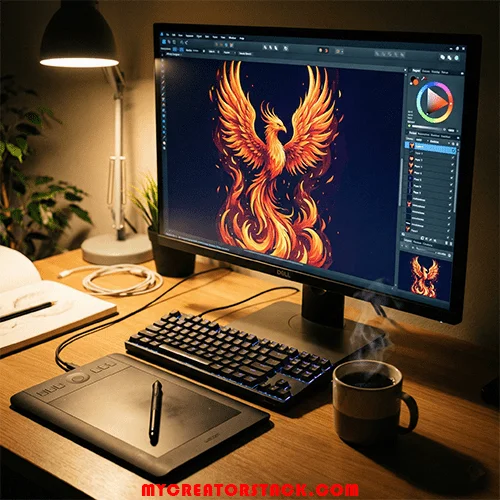
Affordable design software options exist for freelancers who hate subscriptions! Discover the best tools to own your workflow and stop renting your career.
Let’s face it, “Subscription Fatigue” is the new defining career affliction of the modern freelancer.
The traditional narrative has been that in order to be considered a serious designer, illustrator, or digital artist, one must increasingly bear a burden each month to the industry’s giant standard-bearer. You know that one.
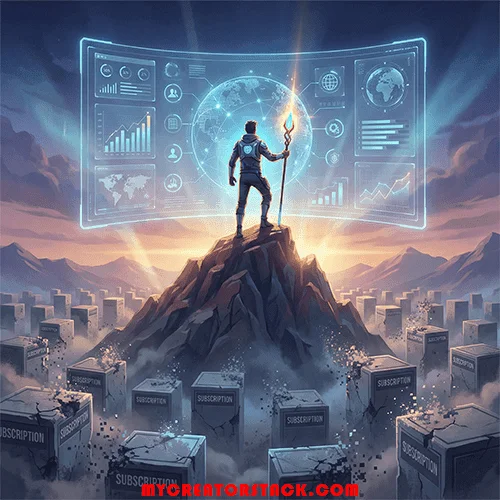
It begins as a legitimate business expense and gradually evolves into something else: renting the equipment for your own profession. Skip a payment, and suddenly your livelihood is put on hold. In a competitive marketplace, it can feel more like a hostage situation than a legitimate business model.
The bright side? The landscape has changed dramatically. In 2024 and beyond, you don’t need a bloated, expensive cloud subscription to deliver agency-grade work. A new generation of software developers has heard the call for a “buy once, own forever” solution.
We’ve surveyed the market, filtered through the noise, and put together a definitive guide to the best affordable design software that respects both your wallet and your independence.
The Ultimate Affordable Design Software: The Affinity Suite
If you’re hunting for the closest direct rival to the Adobe ecosystem without getting locked into a subscription, there is basically one serious challenger: Serif’s Affinity Suite.
Affinity has been winning people over, one at a time, for years, mostly quietly. The pitch is simple, and incredibly attractive: professional-grade vector, raster, and publishing tools for a single, affordable, one-time payment.
This suite rests on three key pillars:
- Affinity Designer: Like an Illustrator killer, this program tames even the most complex vector work, branding, and UI design at astonishing speed. Unlike the subscription option above, it offers instant flipping between vector and raster workspaces in the same document, a massive productivity boost.
- Affinity Photo: A solid alternative to Photoshop, offering non-destructive editing, superb RAW processing, and unlimited layers. It can deliver high-end retouching that competes with anything produced in a subscription studio.
- Affinity Publisher: The InDesign answer to layout, brochures, magazines, and digital publications.
Why freelancers love it: The standout feature, however, is the StudioLink. If you own all three apps, you can reach Photo and Designer tools right from within Publisher’s interface-no switching programs. It’s seamless and incredibly fast on modern hardware.
The cost? You can buy the entire suite (on all platforms: Mac, Windows, and iPad) for a one-time cost that is roughly equivalent to just three months of a full Creative Cloud subscription. After that, you own it for life.
Verdict: For an all-in-one professional replacement, and if you don’t mind a bit of a learning curve to retrain your muscle memory, Affinity is the undisputed king of perpetual licenses nd a top choice for affordable design software.
The Open-Source Heroes: Powerful and Completely Free
How about when you face a scenario in which you have no budget at all, as it is small? Don’t worry. The open-source society provides hope. Although all these tools might have unpolished interfaces, they are very potent when used correctly.
1. The Vector Veteran: Inkscape. Inkscape is an extremely powerful tool in the realm of Vector Graphics Editing. This tool has improved greatly over the years. This tool primarily uses the standard SVG format as the primary format for its operations.
- The Good: It’s completely free, has a massive community creating tutorials, and provides deep technical control over vector paths.
- The Bad: The interface can feel cluttered and dated. It has a reputation for being slower than paid competitors, with very complex illustrations that have thousands of nodes.
2. The Raster Rebel: Gimp (Gnu Image manipulation program). The long-established open-source version of Adobe Photoshop is GIMP. Gimp is robust in image creation, editing of photos, and composition of images.
- The Good: It also has a very robust feature set and is therefore capable of producing high-quality retouching. It is very customizable, and it has plugins.
- The Bad: The curve is steep. The interface is notoriously unfriendly to new users (while improvements have softened this somewhat, it still has problems with native support of CMYK mode for print production).
The Verdict: They are excellent options for new freelancers exploring affordable design software or necessary additions for veteran freelancers in need of a specific tool but lacking a new payment plan.
The Specialized Mavericks: Niche Tools for Specific Jobs
Sometimes what you want isn’t a whole suite but the best solution for a single task.
For UI/UX and Collaboration (Figma): Although Figma has several pricing tiers to accommodate teams of different sizes, the free version is incredibly robust as far as the single freelance designer is concerned. It is the de facto standard in the UI/UX space. It is browser-based, so it will run on just about anything, and has incredibly powerful real-time collaboration capabilities.
For Digital Painting (Krita): Krita is a free, open-source painting application developed by artists, made especially for artists. If you are an illustrator or concept artist, Krita will surpass many commercial ‘all-rounders’ at a fraction of the cost. Krita has a fantastic brush engine, stabilizers, and a minimalistic interface.
For Video Editing (DaVinci Resolve): If you ever have any need to deal with video as part of any freelance work, you may believe that Premiere Pro is necessary for video editing tasks. It’s not necessary. DaVinci Resolve’s free version is Hollywood-grade video editing software that allows for professional video editing, world-class color correction, visual effects, and audio post-production all in one free application. It is hands-down the most robust affordable design software for video creators.

The Mindset Shift: Owning Your Workflow
Switching from subscription software is not just about saving money—while saving hundreds of dollars is certainly nice, the other benefits can be just as valuable.
It’s about owning your workflow. With a product that you own, you’re not looking over your shoulder for the next bill cycle. You’re not upgrading in the middle of a critical project just to suit the needs of the cloud.
The key to competing in today’s freelance economy is agility and low overhead costs.(Check out my recent guide on building a lean creator tech stack for more ways to optimize your operations). By embracing these two incredibly potent affordable design software alternatives, you go from renting to owning the digital landscape.
Audit your expenses. Check on the amount you have been spending on software last year. Then, imagine if you had reinvested that amount into your business.
When it comes to affordable design software, the tools are available. The quality is available. The only question is: are you ready to cut the cord?
(Disclaimer: The information given in the article is for information purposes only, and the information is based on personal opinions and research. MyCreatorStack is not responsible for any decisions made based on the information given in the article. The links given in the article are affiliate/advertising links.)

Sandaru is a senior graphic designer with over 5 years of experience in brand identity, digital design, and creative workflows. He founded Mycreatorstack to help designers and freelancers navigate AI tools, design software, and the evolving creator economy — without the hype.
Leave a Reply