
How will freelance designers survive AI and no-code tools in 2026? Learn how to shift from “maker” to “creative director” to stay profitable
Can the combination of artificial intelligence and no-code platforms put freelance designers out of work? The answer, by 2026, is obvious. With modern ideation-based integrated development environments, designers can create complete landing pages within seconds, and programs such as Adobe Firefly and Figma AI can generate graphics based on text prompts better than we could have ever anticipated.
A common question many raise relates to whether or not freelance designers will manage with the AI coming their way in 2026. However, merely translating ideas into visuals is a thing of the past for freelancers. Those who have managed to develop skills that make them able to generate strategies, help their clients achieve their objectives, empathize, and be creative guides for them will succeed.
The following are the changes that have occurred in freelance design, how it is evolving, and practical guidance on working with artificial intelligence and no-code platforms in 2026.
The Problem: The Commoditization of Execution
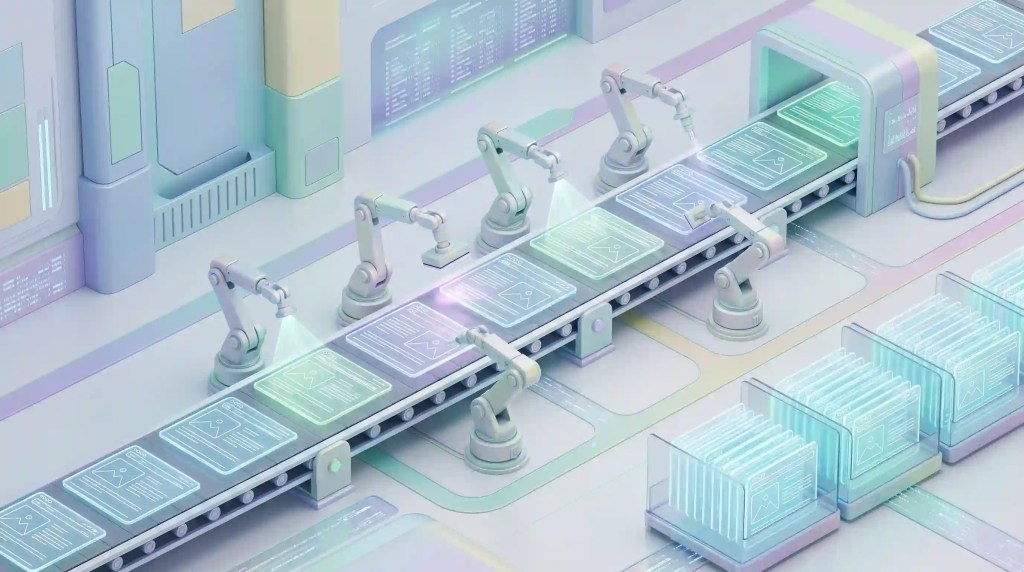
The situation today means looking at how clients are being charged. Historically, building something visually appealing and technically correct was associated with complex knowledge on the part of developers. One had to know how to manipulate anchor points in Illustrator, how to customize CSS, or work with the CMS’s rather intricate database. Clients were essentially paying for this technical work.
Nowadays, the process of doing this kind of work has become commoditized. All you have to do is enter some instructions into an AI-driven web builder, and three minutes later you have a responsive, animated, working website at your disposal. The AI will do the same job regarding creating a logo. Since there is literally no cost involved or very minimal cost, the only competitive edge left is price.
“If I can develop a website for you,” you’re actually competing with a solution that can be purchased using a $20-per-month AI platform. Non-technical entrepreneurs find vibe coding sufficient for their needs
The Solution: How Freelance Designers Survive AI
Designers who succeed in 2026 have gone from selling their hands to selling their tastes, strategies, and solutions. In other words, they have gone from being “Makers” to becoming “Creative Directors.”
Even if an AI can offer thousands of design alternatives, it lacks human empathy, foresight, and cultural insights. For instance, an AI can provide a thousand different layout possibilities, but it can’t join a Zoom meeting with a nervous entrepreneur of a startup and suggest which one will best help establish trust among their specific audience.
In 2026, creating a profitable freelance career depends on developing small habits within your process rather than working faster with the software. Being productive doesn’t mean that you can deliver faster results. Rather, it means that you’ll select and organize the AI’s suggestions and align the visual elements of your project with the business objectives of the customer.
The 2026 Freelance Tool Stack: Embracing the Co-Pilot
Webflow AI & Framer (No-code Development)
- Pros: This suite of no-code tools has successfully bridged the gap between visual design and code, enabling the designer to develop full-fledged websites from scratch without any need for developers. They enable fast iterations and have some great pre-built animations.
- Cons: In some cases, AI may produce bloated code if not properly controlled. For very customized back-end development, traditional coding is still required; hence, it is important to learn the boundaries of this platform before selling it to the client.
Figma AI (UI/UX Architecture)
- Pros: Figma AI makes dealing with the tedious part of UI development simple by automatically structuring layouts in auto-layout frames, adding realistic dummy content to the layout, and organizing messy layers, thus freeing up hours spent on administrative design tasks.
- Cons: The generated layouts may look generic and boring. Human intuition is required to give them personality and tweak typography as well as other styling elements.
Adobe Firefly (Asset Generation)
- Pros: The excellent commercial safety of Firefly, coupled with its seamless integration into Illustrator and Photoshop, makes it the ultimate solution when it comes to vector creation and advanced manipulation of raster graphics, along with the safe ideation of company brands.
- Cons: Firefly relies solely on the Adobe ecosystem, requires monthly subscription fees to function, and cannot be used without a lot of effort put into specific prompting skills.
Real-World Application: Selling Solutions, Not Files
Clients have no interest in Figma files, and they do not value your ability to create prompts. Clients focus on achieving their business goals.
Imagine a team needs to design the user interface for their React Native habit-tracking mobile application. The traditional designer charges clients for three services, which include wireframing, high-fidelity mockups, and asset delivery, which requires multiple weeks to complete through manual work.
In 2026, the workflow looks entirely different. You can use Figma AI to instantly generate the structural wireframes and populate the user profiles with data. You then spend your billable hours on the high-value work: refining the user psychology, ensuring the typography hierarchy drives user retention, and using Firefly to create custom, emotionally resonant vector illustrations for the onboarding screens. You can use Cursor as a tool to assist you with front-end code deployment for your project.
You are delivering a user-tested digital product together with a .fig file, which allows you to charge based on the app value instead of billing for the time required to create visual elements.
Common Mistakes to Avoid in 2026

- Competing by Undercutting Prices: If someone tells you that they can do the job cheaper through AI, bid farewell to such clients. No one can undercut a computer. Rather, work for clients who have tried out AI, have seen their brands merge with other competitors, and now need someone human to make a distinction
- Giving Untouched AI Output: Never give untouched AI output to the client. It does not matter whether it is a vector logo or a landing page generated through AI; what matters is making sure that you polish up the AI output and prepare it for the stakeholders.rs.
- Neglecting Soft Skills: Since everything technical is easy to perform, soft skills will become your greatest strengths. A computer cannot soothe a worried client and understand stakeholder meetings like humans can.
Conclusion: The Decade of the Designer
To fully understand how freelance designers survive AI and no-code, look to the experts who agree that designers will rule the upcoming period between 2026 and 2030.
As software and branding development become simpler and simpler, the key factor determining success will be design, usability, and user experience. In essence, it’s just another paintbrush, and the choice of the canvas depends solely on the artist.
If you master all the necessary skills associated with using cutting-edge no-code and AI design tools, think strategically, and leverage the advantages of being human, you can create for yourself a highly lucrative freelance profession.
How have changes in your freelance work process been this year? Are you using agentic technology, or searching for clients who need traditional handmade designs? Let us know in the comments below!
(Disclaimer: The information given in the article is for information purposes only, and the information is based on personal opinions and research. MyCreatorStack is not responsible for any decisions made based on the information given in the article. The links given in the article are affiliate/advertising links.)

Sandaru is a senior graphic designer with over 5 years of experience in brand identity, digital design, and creative workflows. He founded Mycreatorstack to help designers and freelancers navigate AI tools, design software, and the evolving creator economy — without the hype.
Leave a Reply